- Softonic Rating:
- Very good:8/10
- License:
- Evaluation
- Added:
- January 18, 2008
- Publisher:
- Website
- File size:
- 428 KB
- Downloads:
- 278
- DownloadEvaluation
“Resize, watermark, frame”
by Cyril Roger
Looking for a quick solution to resize, frame and watermark your freshly taken pictures? Downsize might just be what you need.
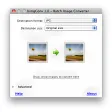
This little application integrates perfectly with iPhoto, which means you can browse all your iPhoto lists, folders and rolls straight from the application's interface. To resize an image, just select the number of pixels you want and use the little slider to adjust the quality of the image.
We quite liked how you could tweak the frames set on pictures. Select thickness, color and corner radius and even adjust the shadow. Similarly, a watermark can be applied to any area of your picture (although it seems text can only be placed on one line) and you can control its opacity via a little slider.
How do I check these changes I've done to my image, you might ask. Not to worry, Downsize features a preview window that you can consult any time to see what those changes will look like.
Downsize is not highly advanced, but if you want to resize, frame and quickly watermark a picture then it should be what you're looking for.
Languages:
English
OS requirements for Downsize:
- OS: Mac OS X
Minimum requirements:
- Processor: PPC/Intel MHz
- Mac OS X 10.3.9 or later
- Quick editing
- Integrates with iPhoto
- Text can only be put on one line
Featured program
Softonic gives special recognition to software of exceptionally high quality. More information
From the publisher of Downsize
Downsize is a utility that allows you to prepare images for the web by resizing, and adding watermarks, frames, and drop shadows. Batch resize an entire folder of images in bulk to save time. If you have a digital camera and want to reduce file sizes before sending your photographs through email, or posting them on the web, Downsize is the fastest and easiest way to do it. It's also fully integrated with iPhoto, so you can organize your photos there, and process them with Downsize.
iPhoto Access
Downsize is integrated with iPhoto, process an entire iPhoto album in one click.
Preview
See what your processed images will look like before you create them. From here you can also rotate images if need be.
Frame
Frame your images in any color and width. Add rounded corners and drop shadows to achieve exactly the look you're going for.
Watermark
Protect your images by applying custom watermarks. Add images or text to any position you choose. You can even use the filename of the image to give a custom watermark to each image. If you need more than one watermark added, Downsize can handle that too.
Resize
Shrink your images, both in file size, and screen size.
More Downsize screenshots
Sponsored Links
Programs similar to Downsize
Downsize options
Reviews for Downsize in other languages
- Downsize (Análisis en español)
User Rating
1 rating- Usability
-
- Currently 7/10.
- Stability
-
- Currently 7/10.
- Installation
-
- Currently 9/10.
- Functionality
-
- Currently 5/10.
- Appearance
-
- Currently 5/10.